
Here is the procedure to view from the browser for all CCTV Cameras at the moment.
STEP: 1
Open the Internet Explorer (please note that only in Internet Explorer the solution will work, hence it will not work in Mozilla Fire Fox, Opera, Chrome etc..)

STEP: 2
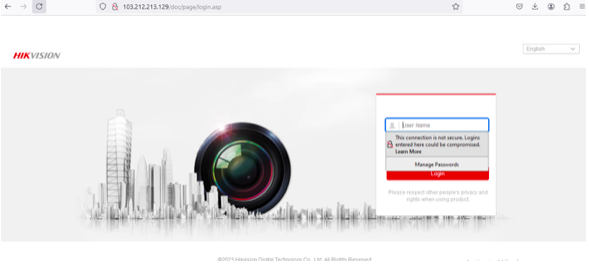
Copy and paste the link http://103.212.213.129/doc/page/login.asp inside the URL field and click on search. It will ask to run the web services or the First Time Login and need to run the plugin page which looks like the displayed image.
STEP: 3
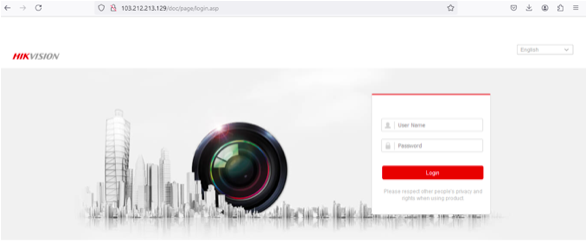
Enter the Username and Password inside the displayed fields. After entering the Username and Password, go ahead and click on Login.
STEP: 4
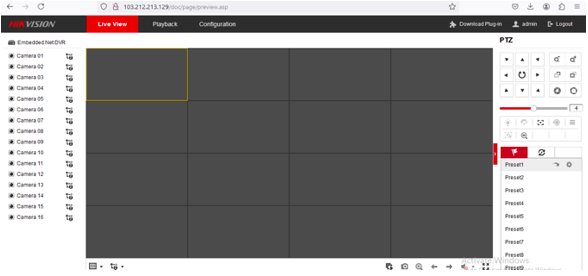
After clicking on the Login button, it will be redirected to the Login Page which looks like the displayed image
STEP: 5
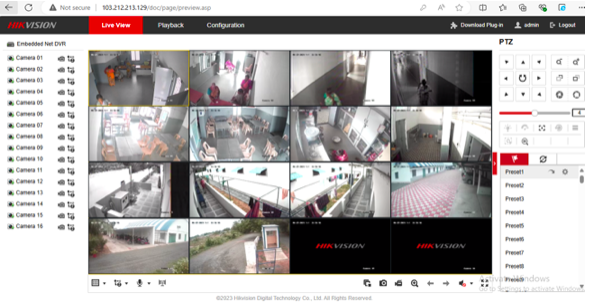
Once the above-mentioned page is displayed, Click on the Start All Live View button on the left-hand side bottom which will allow the page to display all the cameras at a time.
STEP: 6
If the PC or laptop is using for the first time for streaming this camera in weblink then one more step might be required to run which is a plugin to run the videos for which the system will prompt for the first time only. Once the plugin is run and setup is done. Then please follow the procedure from Step-1 to Step-5 again which will start smooth operation thereafter.